


How to Invest Your First RM1,000 in Malaysia: 2026 Guide
You’ve saved your first RM1,000. In the grand scheme of the stock market, it might

Discover the best MT5 indicators for 2026, including Supply & Demand, FRAMA, and MACD. Learn how to audit for “repainting,” filter out scams, and choose the right tool for your scalping or swing trading strategy.
Below is a list of our Top-Tier Selections. These represent the highest standard available in the Malaysian forex market.
XAUUSD, GBPJPY
No Repaint
Free / Paid
H1, H4
Yes
Medium
It identifies the exact price levels where banks and institutions have pending orders, unlike standard support/resistance lines which are often subjective.
It helps you trade *with* the “Smart Money,” not against it.
A specialized Price Action tool that automatically highlights “Order Blocks”—rectangular zones representing aggressive buying or selling imbalances. These zones often act as a magnet for future price action.
Performance Note: In 2026 markets, this is the #1 performing indicator for XAUUSD (Gold) and GBPJPY. It effectively filters out the “noise” of smaller timeframes by focusing on where the volume actually is.
USDJPY, US30
No Repaint
Free
H1, H4
No
Medium
It solves the biggest problem with standard Moving Averages: Lag. FRAMA uses fractal geometry to stay flat during choppy, ranging markets (preventing false trades) and reacts instantly when a true trend starts.
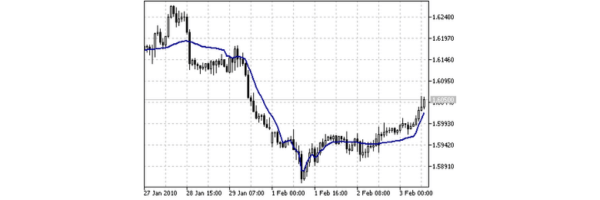
The Fractal Adaptive Moving Average differentiates between stable and chaotic markets. When the line is flat, the market is ranging (do not trade). When the line angles sharply, a major trend is confirmed.
Performance Note: Outperforms the standard EMA 50/200 crossover in backtests. Best used purely as a Trend Filter: only take Buy signals when FRAMA is sloping up, and Sell signals when it is sloping down.
All Majors
No Repaint
Free
H4, D1
Yes
Low
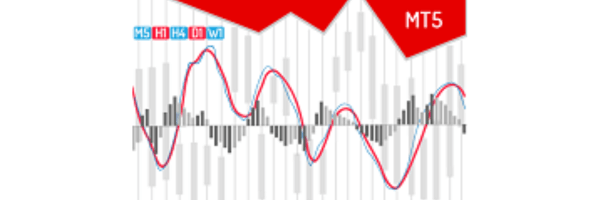
Standard MACD is often monochromatic and hard to read quickly. The “True” version provides a “traffic light” system, coloring the histogram bars green (bullish) or red (bearish) to instantly show if momentum is gaining or fading.
An upgraded visual version of the classic MACD. It highlights the *strength* of the move by changing the histogram color when momentum slows down, often giving you an exit signal before the crossover happens.
Performance Note: In 2026 strategies, avoid the “Crossover” signal for entries. Instead, use this tool specifically to spot *Divergence (e.g., Price makes a higher high, but MACD bars make a lower high).
Crypto, NAS100
No Repaint
Free (Built-in or Custom)
M15, H1
No
Medium
It is one of the few indicators that tells you *when* a move is about to happen, even if it doesn’t know the direction. It captures the “calm before the storm,” allowing you to position yourself exactly when volatility is about to explode.
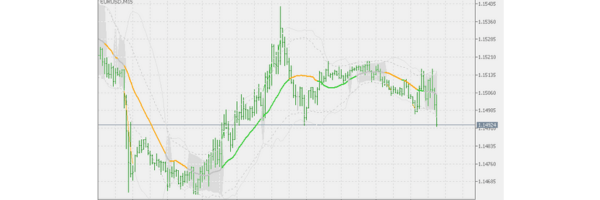
Consists of a moving average and two standard deviation bands. When the bands “squeeze” tight, it means volatility is at historic lows. This state rarely lasts long and is almost always followed by a massive expansion (breakout).
Performance Note: Essential for trading Indices (US30, NAS100). The best strategy is to wait for a full candle to close outside the band. Do not enter just because price touched the line.
EURUSD, AUDUSD
No Repaint
Free
M30, H1
No
High
Trading reversals is difficult because your eyes can trick you. This tool automates the process by scanning the chart 24/7 for “hidden” mathematical discrepancies between price and momentum, finding tops/bottoms you might miss.
A programmed script that detects
Divergence: a specific scenario where Price makes a Higher High, but the RSI oscillator makes a Lower High. It automatically draws lines and prints an arrow signal indicating a potential reversal.
Performance Note: Strictly a Counter-Trend tool. It performs best on currency pairs that tend to range, such as EURUSD or AUDUSD. Avoid using this on aggressive trending assets like Gold unless on higher timeframes (H4+).
US30, Stocks
No Repaint
Free
M5, M15
No
Medium
This is the benchmark for “Fair Value.”
Institutions and algorithms use VWAP to decide if they are getting a good price. If you trade without it, you are trading blind against the banks who are watching this exact line.
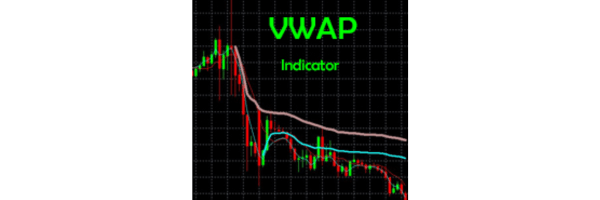
Calculates the average price of an asset, weighted by volume. Unlike a simple Moving Average, it gives more weight to candles with high volume. It appears as a single line that acts as a “magnet” for price throughout the trading day.
Performance Note: The #1 tool for Day Traders on Indices and Stocks. If price is far above VWAP, the asset is “expensive” (look for shorts). If far below, it is “cheap.” Price almost always returns to test the VWAP line by market close.
To choose the best MT5 indicator, you must audit the tool for “repainting” in the Strategy Tester and ensure it aligns with your specific timeframe (e.g., scalping vs. swing).
Always verify the source is the official MQL5 Market, avoid “no-loss” claims, and combine a leading indicator with a lagging one for valid confirmation.
You are looking for an edge. Maybe you saw a YouTube video of a trader making 1,000% returns, or you found a “Buy/Sell” arrow tool that looks perfect.
But when you install it, you lose money. The problem usually isn’t the market, it’s how you select your tools.
Finding the right tool isn’t about discovering a magic algorithm that never loses. It is about finding a filter that removes noise for your specific strategy.
This guide teaches you exactly how to vet, test, and install indicators so you stop downloading junk and start trading with professional precision.
Use this 5-point safety check before downloading any file.
Check Criteria | What to Look For | Pass / Fail |
Repaint Status | Does the signal move/vanish after the candle closes? | Must be NO |
Strategy Fit | Is it for Scalping (M1/M5) or Swings (H1/H4)? | Must Match Yours |
Simplicity | Can you read the signal in <3 seconds? | Yes |
Source | Is it from MQL5 Market or a random Telegram group? | MQL5 / Trusted |
Customizability | Can you turn off alerts or change colors? | Yes |
Smart traders filter out bad tools immediately by spotting these three warning signs.
A repainting indicator changes its past signals to look perfect historically. You see a Buy arrow, you enter, price crashes, and the arrow disappears. To fix this, open the MT5 Strategy Tester (Ctrl+R), load the indicator, and run it in “Visual Mode.” If signals vanish, it is a scam.
If a description promises “No Loss” or “90%+ Accuracy,” it is misleading. Even institutional algorithms take losses. These tools often rely on Martingale strategies (doubling down on losses), which eventually leads to a blown account.
If the creator refuses to explain the logic (e.g., “It uses a secret neural network”), do not use it. You cannot trade confidently if you do not understand why a line is moving.
Don’t look for the “best” indicator; look for the one that fits your specific trading style and timeframe.
You need speed and immediate reaction. Avoid lagging indicators like standard Moving Averages that react too slowly to price spikes.
You need trend confirmation and noise reduction. You do not care about small candles or micro-movements.
Treat an indicator like a broker; verify its specs before you commit capital.
When browsing the MQL5 market, mentally fill out a “Spec Card” for every tool. For example, if you are looking at a tool called “Smart Order Block,” check these specific details:
Pro Tip: If an indicator does not clearly state its “Repaint Status” in the description, assume it repaints. The only verified ecosystem for safe downloads is the Official MQL5 Market.
The MQL5 Market is the primary source because every uploaded file undergoes strict automated security checks.
Most beginners land on the MQL5 page and only see “Top Rated Paid” tools costing $100+. They assume payment is required. You can unlock professional-grade tools for free by using the side filters effectively.
Avoid websites offering “free downloads” of paid tools. These are often outdated versions that do not work on the current 2026 MT5 build and cannot auto-update when MetaQuotes patches the software.
If the indicator won’t load, enable “Allow DLL imports” under Tools > Options > Expert Advisors.
CRITICAL WARNING: This setting allows custom indicators to execute external code (DLLs). Only enable this for trusted indicators, as malicious DLLs can compromise your system or steal information. You assume all security risks by enabling this option.
Installation in MT5 differs slightly from MT4; follow this exact process to avoid errors.
Start by downloading the file, which must end in .ex5 or .mq5. Open your MT5 desktop terminal and go to File (Top Left) > Open Data Folder.
Next, navigate to MQL5 > Indicators and paste your file into this folder. You must restart MT5 for the file to appear. Once restarted, open the Navigator (Ctrl+N), find your tool, and drag it onto the chart.
Note: You cannot install custom indicators on the MT5 Mobile App (iPhone/Android). These custom tools only function on a PC, Laptop, or VPS.
The search for the best MT5 indicator ends when you stop looking for a holy grail and start looking for a tool that fits your plan.
Audit every tool for repainting, stick to the official MQL5 market, and never trust a system that promises zero losses. Your goal is confluence, not magic.
No. Anyone promising a 100% win rate is selling a scam. Top professional traders typically win 50-60% of the time but rely on strong risk management to ensure wins are larger than losses.
“Leading” indicators like Fibonacci Retracements and Pivot Points are often considered highly accurate because they use math to project potential support and resistance levels before the price reaches them.
For trend trading, the Exponential Moving Average (EMA) is the gold standard. For reversal trading, the RSI (Relative Strength Index) remains the most reliable free tool. Both come pre-installed.
Run the indicator in the MT5 Strategy Tester (Ctrl+R) using “Visual Mode.” Watch the playback; if a signal arrow appears and then disappears as the price moves against it, the indicator repaints.
No. MT4 uses the MQL4 coding language, while MT5 uses MQL5. They are not compatible. You must download the .ex5 version of the tool specifically for the MetaTrader 5 platform.
You cannot install custom .ex5 files on the MT5 mobile app. The mobile version only supports the default indicators. To use custom tools, you must trade on a desktop or VPS.
You’ve saved your first RM1,000. In the grand scheme of the stock market, it might

The landscape for US stock trading in Malaysia has reached a point of hyper-competition in
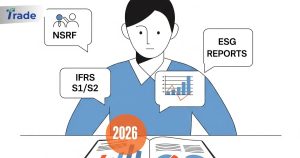
For many retail investors in Malaysia, the “Annual Report” is a daunting, 300-page PDF that